
User Update Integration
Roadmap
Section titled “Roadmap”Setting up an API token for X-Faces to use
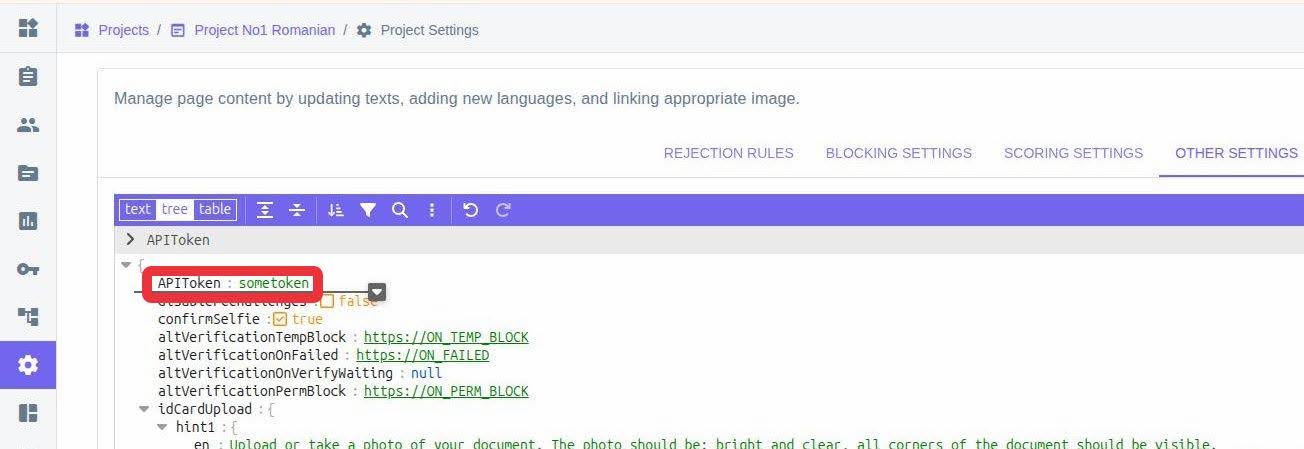
Section titled “Setting up an API token for X-Faces to use”In the project settings, Other Settings tab, provide an APIToken variable, which will be used by X-Faces for accessing the endpoint for user updates.
Sending data about the updated user
Section titled “Sending data about the updated user”In order for X-Faces to fetch the necessary information about the updated user you need to do the following:
-
Prepare a payload.
-
Send it to the specified endpoint.
Receiving request from X-Faces about the updated user
Section titled “Receiving request from X-Faces about the updated user”Next you need to provide an endpoint from which it will be possible for us to get the data:
- During user creation, provide user_data_url field with a full URL of an endpoint using which X-Faces will be able to fetch the update data for this user.
Setting up an API Token for the project
Section titled “Setting up an API Token for the project”-
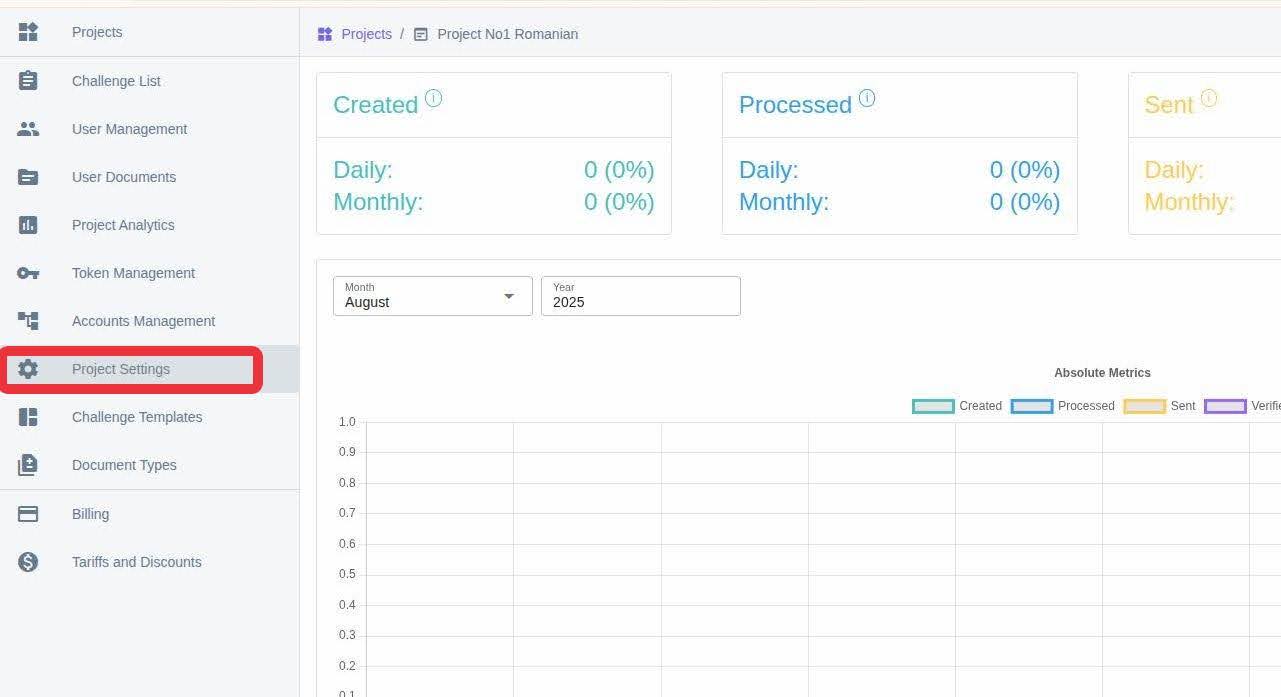
On the X-Faces board find Project Settings tab and click it.
-
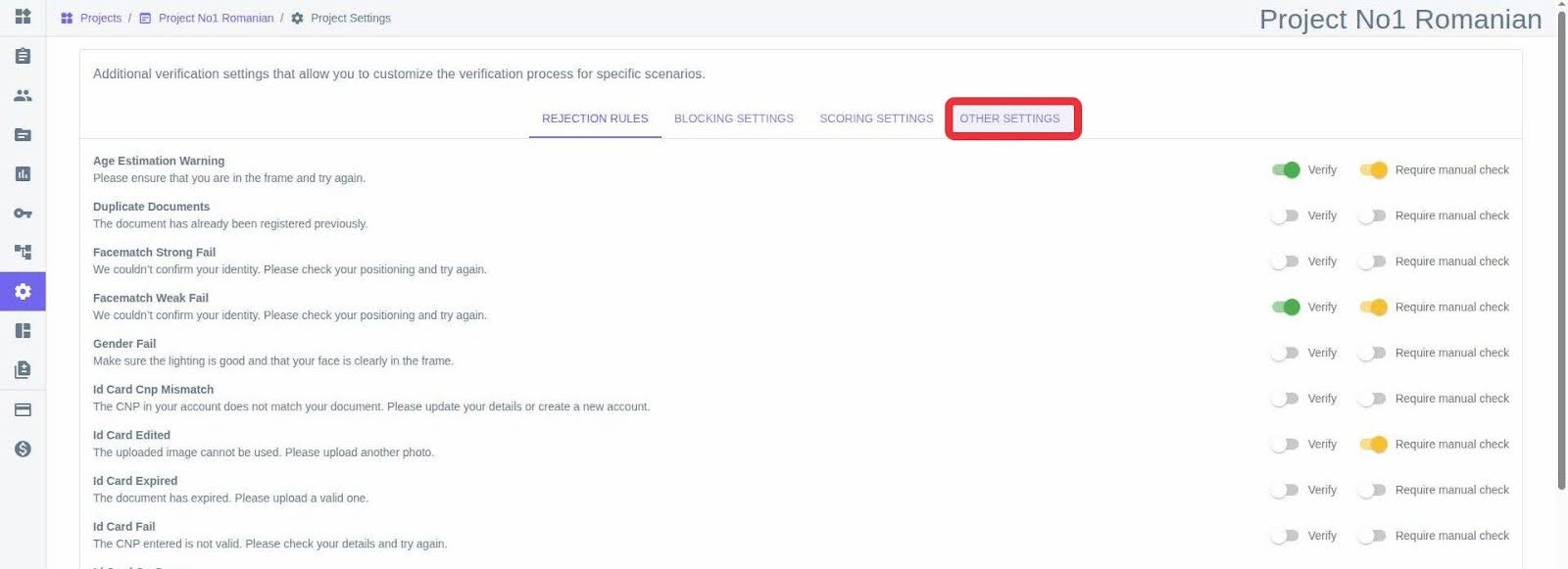
Click on Other Settings tab.
-
Create an APIToken variable and provide it with a value.
Expected workflow partner side
Section titled “Expected workflow partner side”REST API for user updates
Section titled “REST API for user updates”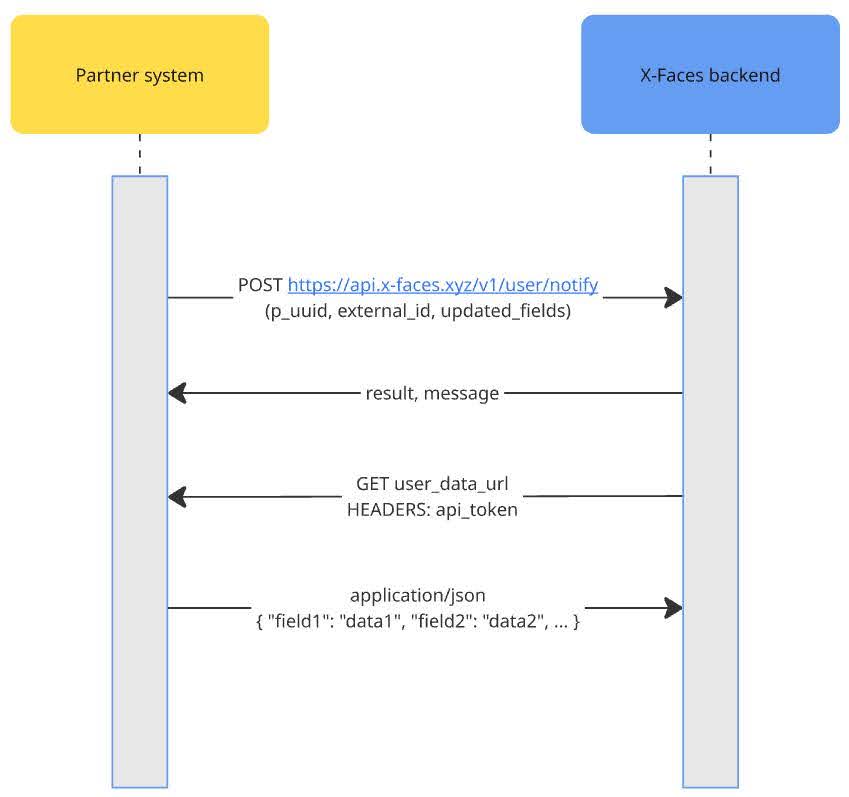
This API provides an endpoint to POST the update about the user. It returns the response to the POST request. Our system then makes a GET request to fetch the data for the specified user.
1. X-Faces
Section titled “1. X-Faces”Endpoint
Section titled “Endpoint”POST https://api.x-faces.xyz/v1/user/notify
Data structure
Section titled “Data structure”{ "p_uuid": string uuid, "external_id": string, "updated_fields": array ["field1", "field2", ... ] // optional}-
p_uuid – uuid string identifier of your project, in which the user is registered.
-
external_id – user identifier in the external (your) system.
-
updated_fields – optional parameter, which fields need to be updated.
Authentication
Section titled “Authentication”You need to add a token header with the value received from an x-faces representative.
Response Wrapper
Section titled “Response Wrapper”Server JSON responses are wrapped as follows:
{ "result": bool, "message": string}- result - whether the recognition of the bank card was launched successfully.
- message - optional message accompanying the result.
Possible result and message combinations
Section titled “Possible result and message combinations”"result": true - the payload was successfully processed and the user was marked for update.
"result": false - an error occurred while processing payload.
"message": "Access denied" - auth token passed in the headers is incorrect.
"message": "Invalid payload" - endpoint received a payload that’s not corresponding with a schema.
"message": "User does not exist" - user with the specified external_id does not exist for the specified project.
2. Partner API
Section titled “2. Partner API”Endpoint
Section titled “Endpoint”GET user_data_url
Authentication
Section titled “Authentication”We will take the APIToken variable from your project’s settings, Other Settings tab.
Response data structure
Section titled “Response data structure”We expect to receive a payload of the following structure:
{ "field1": ..., "field2": ..., ...}