
Project Settings Features
This document explains various features that can be turned on/off and configured using project settings.
You can find the configurable project settings following this guide:
-
In the X-Faces board choose your project:
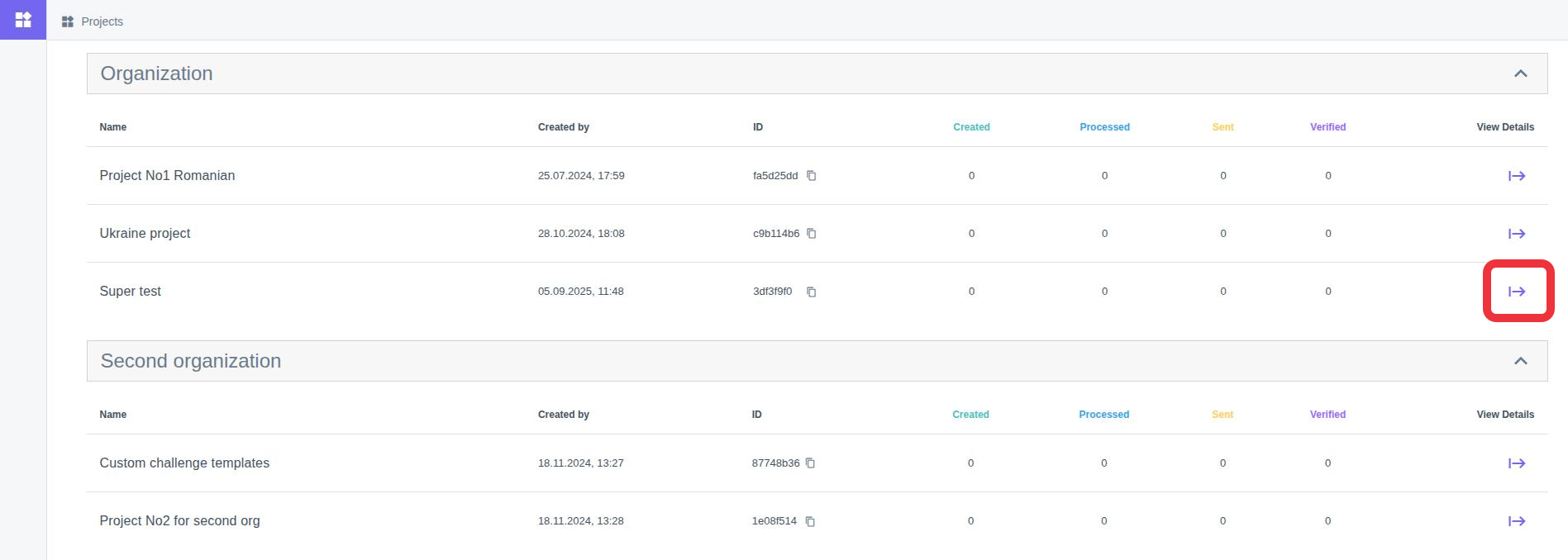
-
Go to the project’s settings in the menu tab:
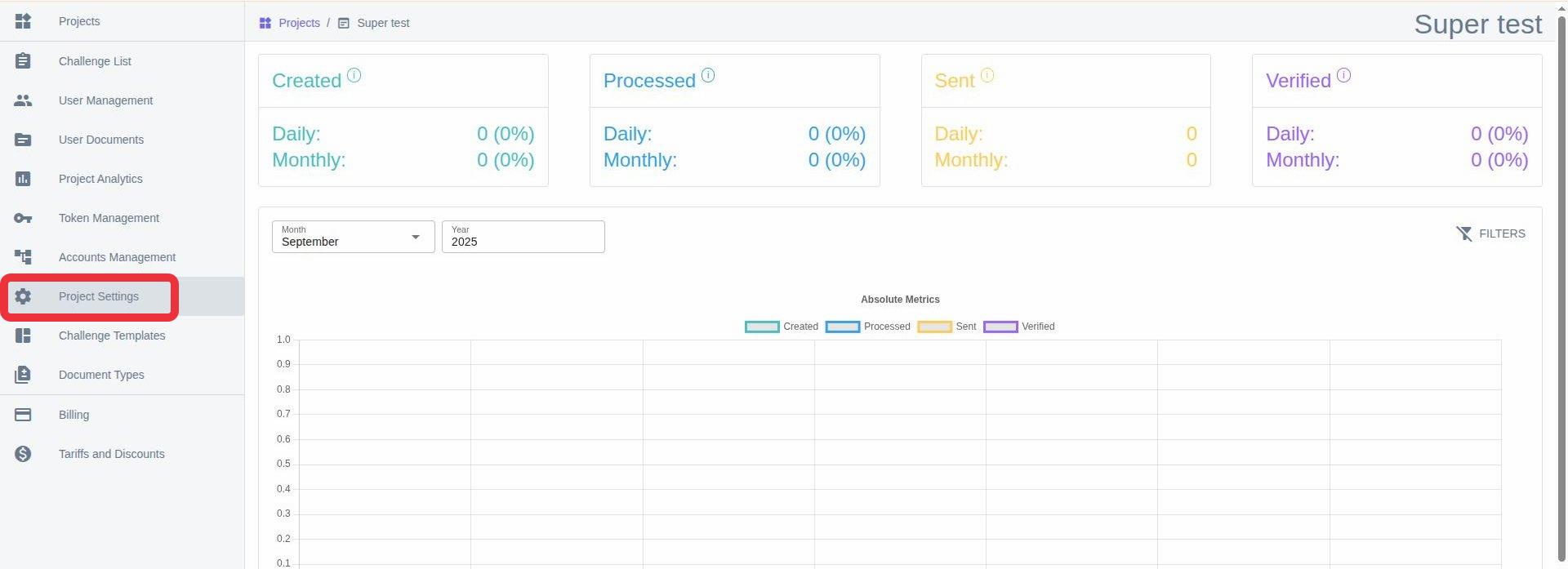
-
Change tab to “Other Settings”.
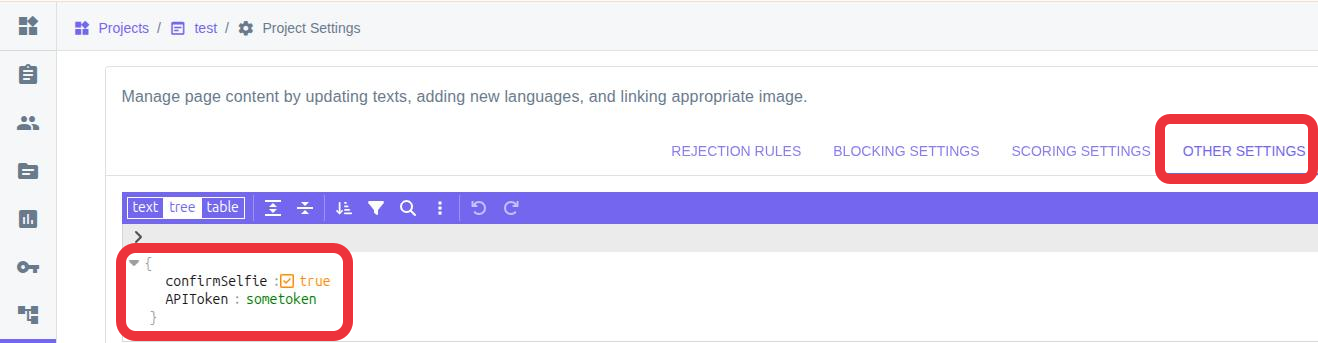
Here you will be able to write and configure the settings that will be shown in this document.
Selfie confirmation
Section titled “Selfie confirmation”You can allow the user to manually confirm that the taken selfie can be used further.
To enable this feature, write the following line to the project’s settings: "confirmSelfie": true
Limit the amount of bank cards that can be verified via API
Section titled “Limit the amount of bank cards that can be verified via API”"bankcard_verification": { "alt_max_count": 1, "autoreject_hours": 24}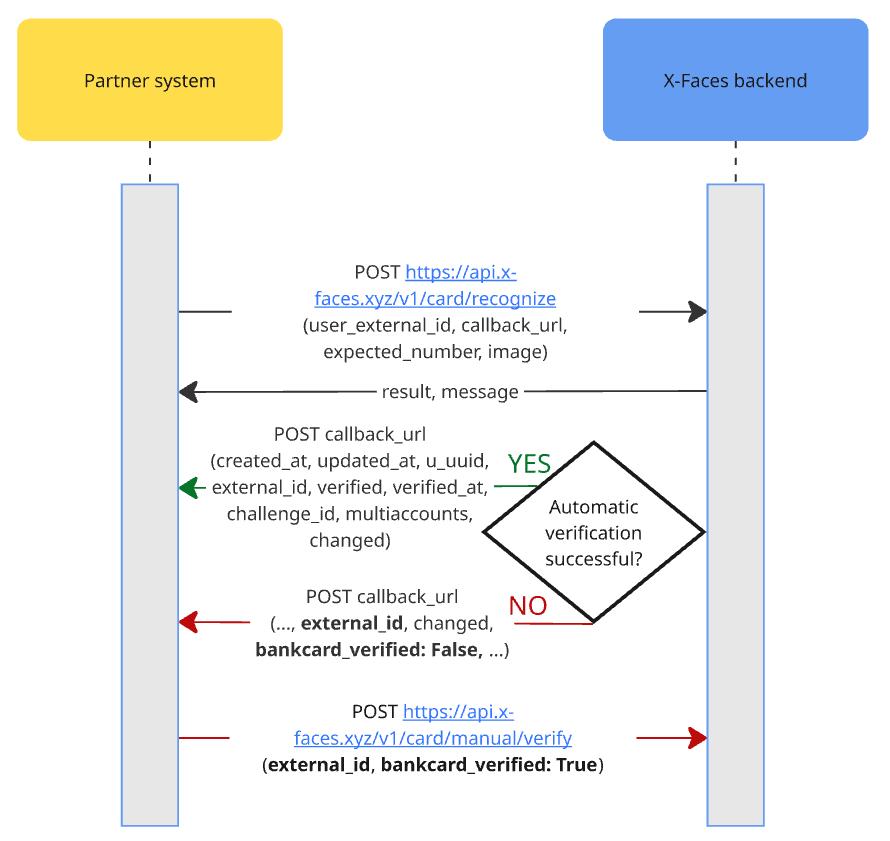
This will affect the behavior of POST /v1/card/recognize endpoint.
If the user with this bank card exists, and if he already has some challenges on confirmation, and the amount of said challenges is more than "alt_max_count" then you will receive the following response:
{"result": false, "message": "This user already has a bank card on verification confirmation."}If not then the flow will continue as usual.
If the card failed to be verified automatically, you will receive a callback from X-Faces which will have the following body:
{..., "external_id":"p-test_bc_verify", "changed":["bankcard_capture"], "bankcard_verified":false,...}If you decide to verify the bank card, you will need to send the request to X-Faces in the following form:
POST /v1/card/manual/verify
BODY:
{ "external_id":"p-test_bc_verify", "bankcard_verified":true}In the event that X-Faces did not receive the response in the span of time "autoreject_hours", the card will stay not verified. If "autoreject_hours" is not set, the default will be 24 hours.